
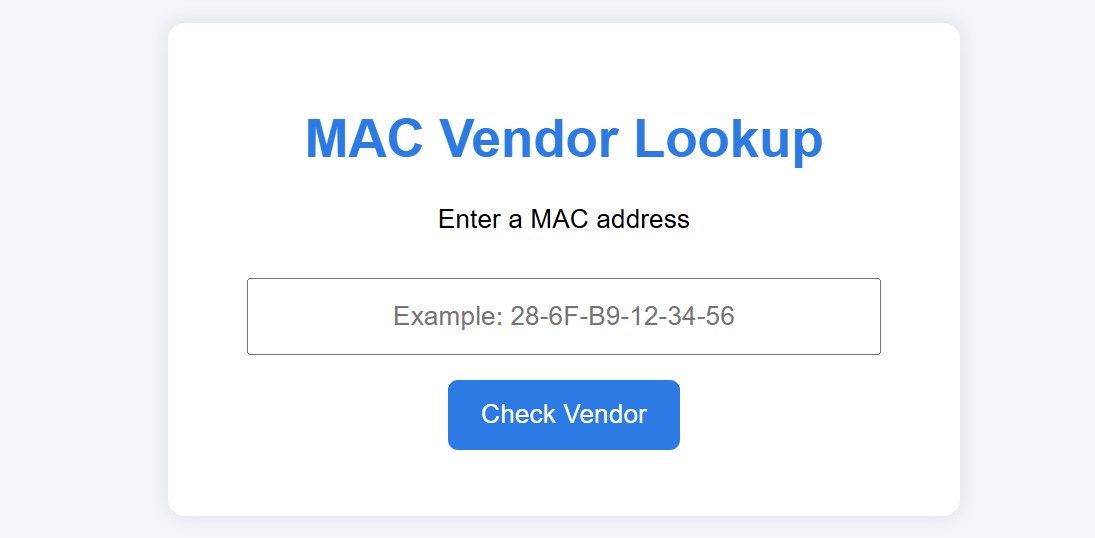
As part of my computer networking lessons, I’ve developed a practical, interactive tool that helps students explore MAC addresses and understand how they identify devices on a network. Students can now use this tool directly in Moodle at: https://www.vertedor.com/resources/maclookup.
Why I Created This Tool
Teaching networking concepts can sometimes be abstract – for example, explaining MAC addresses or manufacturer codes. By giving students a hands-on activity, they can identify the manufacturer of a network interface card, recognize the structure of MAC addresses (first 6 digits = manufacturer, last 6 = device), and practice network troubleshooting and analysis safely on their own devices. Interactive tools like this help students see the theory in action and retain concepts more effectively than with static examples.
How the Tool Works
The tool allows students to enter a MAC address in any common format (colons, hyphens, or continuous hex), automatically normalize the address to a standard format, validate the MAC address to prevent errors, and lookup the vendor/manufacturer using a local database of common MAC address prefixes. It’s fully embedded, so students can use it directly in Moodle without leaving the learning environment.
Integration with Moodle
I have embedded the tool in our Moodle pages so students can access it during lessons, labs, or homework:
- Activity: Find the MAC address of your own device.
- Task: Use the tool to discover the manufacturer.
- Reflection: Compare results with classmates to understand how device manufacturers are coded in MAC addresses. This makes it a practical, interactive learning exercise.
Example of the Tool in Action
Students enter a MAC address like:D0:65:78:E9:6E:25
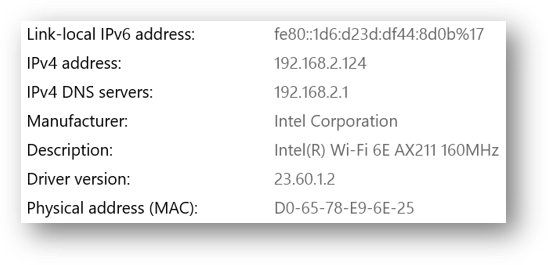
The tool then formats it correctly and displays the manufacturer:
- Manufacturer: Example: “Intel Corporate”
By using this interactive approach, students engage more deeply with the material and learn to connect theory with real devices.
Conclusion
Creating small, interactive tools like this one can enhance lessons, make networking concepts tangible, and provide students with practical, hands-on experience. I plan to continue developing similar tools for other networking and ICT concepts, embedding them in Moodle to create a fully interactive digital classroom.
Check out the tool here: MAC Lookup Tool