
One of the advantages of running your own server is the possibility of creating and hosting custom web tools tailored to your lessons. Instead of depending on many external websites, teachers can build a collection of tools that are always available in one place and designed specifically for classroom use.
These tools can support many different subjects and activities, from small utilities to interactive learning environments. Over time, this collection becomes a central hub of educational tools that can be reused across courses and lessons.
Embedding Tools in Moodle
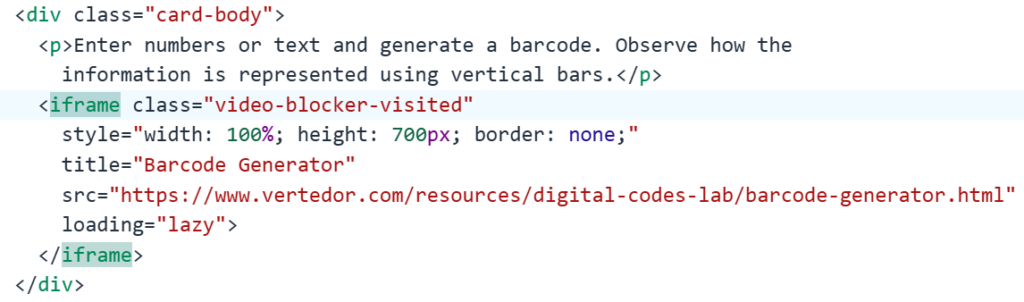
Once a tool is hosted on your server, it can easily be integrated into Moodle pages using an iframe. This allows the tool to appear directly inside the course content, so students do not need to leave the learning environment.
A typical Moodle page can include:
- Instructions for the activity
- The embedded web tool
- A set of questions or a follow-up task
This creates a smooth workflow where students can read, experiment, and answer questions in the same place.
Practical Tools for Interactive Learning
Some tools are designed to support hands-on exploration of real-world technologies.
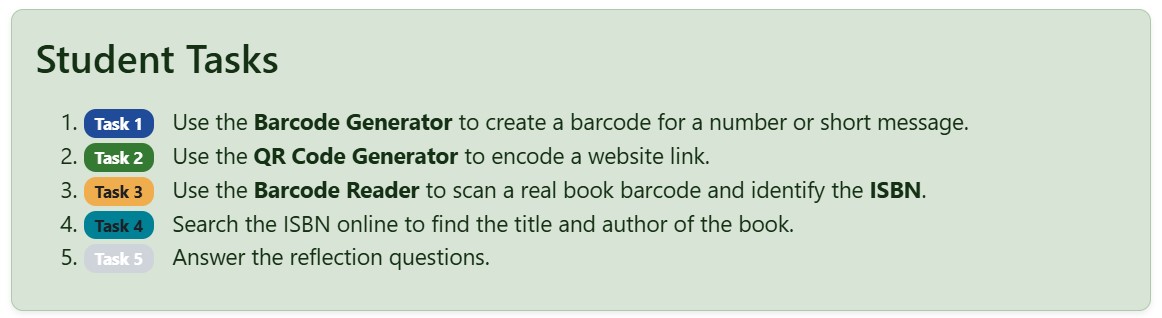
For example, students can use barcode and QR code generators to create digital codes and then scan them using barcode scanners or mobile devices. This allows them to experience how these technologies are used in retail, logistics, and product identification.
Another example is an ISBN reader, which allows students to scan book barcodes and see how identification systems work in libraries and publishing.
These types of activities turn theoretical concepts into practical experiments, making the learning experience more engaging and memorable.
Supporting Computer Science Tools
Custom web tools can also support programming and computational thinking activities. For example, a web-based Little Man Computer (LMC) simulator allows students to write and run simple assembly-style programs directly in their browser.
Embedding this type of simulator in Moodle allows students to:
- Write and test programs
- Experiment with memory and instructions
- Observe how a simple computer architecture works
This makes abstract concepts such as CPU instructions, memory, and program execution much easier to understand.
Building a Growing Educational Toolkit
The real benefit of hosting your own tools is that the collection can grow over time. New tools can be added whenever a lesson requires them, and existing ones can be improved based on classroom experience.
Because these tools are hosted on your own server, they can be:
- Integrated directly into Moodle
- Customized for specific activities
- Free from advertisements or external distractions
- Available to all students in one central place
Over time, this approach creates a flexible digital laboratory where students can experiment with different technologies while staying inside a structured learning environment.